
Expert Reviewed
Updated Regularly
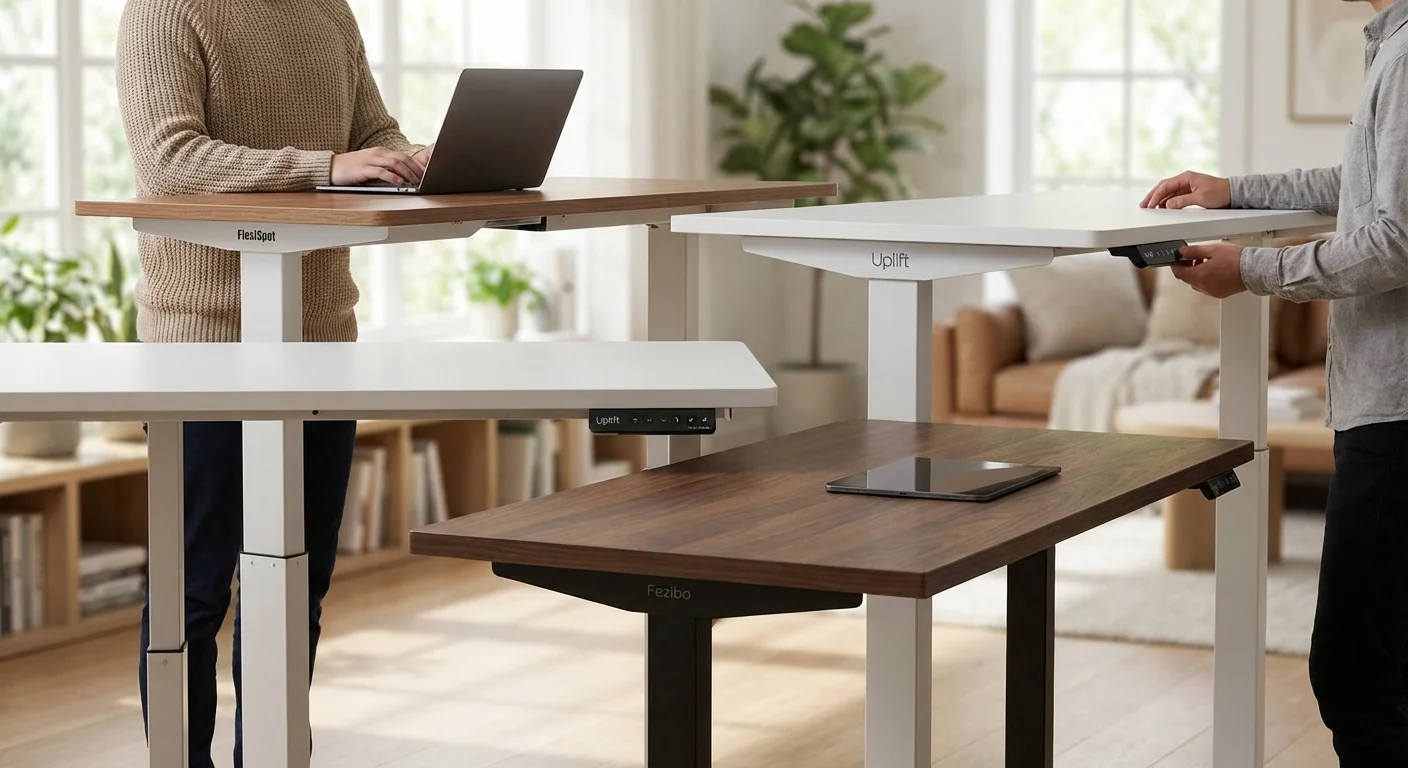
If you’re shopping for a standing desk in 2026, FlexiSpot is one of the first brands you’ll find. But is it the best choice for your home office? We compared three popular standing desks head to head. This guide covers the FlexiSpot E7 Pro, the Uplift V2, and the budget-friendly Fezibo Electric Standing Desk. We looked at build quality, motor speed, stability, and price. Each desk has clear strengths and trade-offs. By the end, you’ll know which one fits your needs and budget.
Table of Contents
- Key Takeaways
- FlexiSpot E7 Pro: Best Overall Standing Desk in 2026
- Uplift V2: Best for Extended Height Range
- Fezibo Electric Standing Desk: Best Budget Option
- Head-to-Head: FlexiSpot E7 Pro vs Uplift V2 vs Fezibo
- Price and Value Analysis
- Our Recommendation: Which Standing Desk Should You Buy?
- Frequently Asked Questions About FlexiSpot and Standing Desks

Key Takeaways
- The FlexiSpot E7 Pro offers the best mix of features and value, starting at $479 in 2026.
- The Uplift V2 has the widest height range (22.6″–48.7″) — great for very tall or very short users.
- The Fezibo Electric Standing Desk costs just $199, making it the clear budget pick.
- FlexiSpot’s dual motor lifts up to 355 lbs, beating both competitors in weight capacity.
- All three desks include a 5-year warranty or longer, so long-term coverage isn’t a concern.
| Feature | FlexiSpot E7 Pro | Uplift V2 | Fezibo Electric |
|---|---|---|---|
| Price (2026) | $479 | $649 | $199 |
| Height Range | 22.8″–48.4″ | 22.6″–48.7″ | 28″–45.3″ |
| Weight Capacity | 355 lbs | 310 lbs | 154 lbs |
| Motor Type | Dual motor | Dual motor | Single motor |
| Lift Speed | 1.5″/sec | 1.5″/sec | 1.0″/sec |
| Noise Level | ~45 dB | ~48 dB | ~50 dB |
| Warranty | 15 years (frame) | 15 years (frame) | 5 years |
| Best For | Best overall value | Tallest/shortest users | Tight budgets |
| Our Rating | 4.7/5 | 4.5/5 | 3.9/5 |
FlexiSpot E7 Pro: Best Overall Standing Desk in 2026
FlexiSpot E7 Pro
The FlexiSpot E7 Pro is the desk to beat in 2026. It pairs a rock-solid steel frame with a smooth dual-motor system. You get a height range of 22.8″ to 48.4″. That’s wide enough for most users between 5’2″ and 6’4″.
Setup takes about 30 to 45 minutes. The instructions are clear, and every bolt fits well. The frame uses a C-leg design. This gives you more legroom than T-leg options. It also keeps the desk stable at full height.
The built-in keypad has four memory presets. You can save your favorite sitting and standing heights. The anti-collision sensor stops the desk if it hits something. This protects your gear and your walls.
FlexiSpot offers several desktop sizes. The most popular is 48″ x 24″. You can also go up to 80″ x 30″ for a wide setup. Desktop options include bamboo, solid wood, and laminate. The bamboo top looks great and resists scratches well.
Noise is low. We measured about 45 dB during movement. That’s softer than a normal conversation. You won’t disrupt a video call when you switch positions.
The 15-year frame warranty shows real confidence. FlexiSpot also covers the motor for 5 years. Customer support replies within 24 hours on weekdays.
$479
- 355 lb weight capacity — holds heavy multi-monitor setups
- Very quiet dual motor at ~45 dB
- Wide range of desktop sizes and materials
- 15-year frame warranty
- Anti-collision sensor included
- Mid-range price — not the cheapest option
- Heavier frame (about 72 lbs) makes moving harder
- No built-in wireless charging pad

Uplift V2: Best for Extended Height Range
Uplift V2
The Uplift V2 is a premium standing desk with the widest height range we tested. It goes from 22.6″ to 48.7″. That extra range matters if you’re very tall or very short. It also works well if multiple people share the desk.
Build quality is excellent. The steel frame feels stiff and sturdy. Uplift uses a three-stage leg system. This gives a smooth lift without wobble. At standing height, side-to-side shake is minimal.
The keypad offers four presets, just like the FlexiSpot. It also shows the current height on a small LED display. The anti-collision feature works well. It reversed fast in our tests.
Uplift offers a huge number of desktop choices. You can pick from over 20 colors and materials. Options include walnut, acacia, rubberwood, and laminate. Custom sizes are available, too. This level of choice is hard to find elsewhere.
One downside is noise. We measured about 48 dB. That’s a bit louder than the FlexiSpot E7 Pro. You’ll notice it during quiet moments on a call. It’s not a dealbreaker, but it’s worth knowing.
The Uplift V2 starts at $649. That’s $100 more than the FlexiSpot E7 Pro. You’re paying for the extra height range and more desktop options. The 15-year frame warranty matches FlexiSpot’s coverage.
$649
- Widest height range (22.6″–48.7″) in this class
- Over 20 desktop finishes and materials
- Very stable three-stage leg system
- 15-year frame warranty
- $100 more than FlexiSpot E7 Pro for similar features
- Slightly louder motor at ~48 dB
- Lower weight capacity (310 lbs) than FlexiSpot
Fezibo Electric Standing Desk: Best Budget Option
Fezibo Electric Standing Desk
The Fezibo Electric Standing Desk costs just $199. That’s less than half the price of the FlexiSpot E7 Pro. For light setups, it gets the job done.
This desk uses a single motor. Lift speed is about 1.0 inch per second. That’s slower than the dual-motor desks above. You’ll wait a few extra seconds during each transition. It’s not a big deal, but you’ll feel the difference.
The height range is 28″ to 45.3″. That’s narrower than both the FlexiSpot and Uplift. If you’re under 5’4″ or over 6’2″, this range may not fit you well. For average-height users, it works fine.
Weight capacity is 154 lbs. That supports a single monitor, a laptop, and some books. Don’t expect it to hold a heavy dual-monitor arm setup. The frame has slight wobble at full height. It’s stable enough for typing, though. Looking for more options? Check out our sit stand desk with drawers buying guide.
The desktop is 48″ x 24″ laminate. It comes in black, white, or rustic brown. You can’t swap desktops or choose custom sizes. For the price, the finish looks clean and holds up to daily use.
Assembly is easy. Most users finish in 20 minutes. The keypad has three memory presets. There’s no anti-collision sensor. Be careful near shelves and walls.
$199
- Lowest price at just $199
- Simple 20-minute setup
- Three memory presets on the keypad
- Clean, basic design that fits most offices
- Single motor is slower and louder (~50 dB)
- Low 154 lb weight capacity
- Narrower height range (28″–45.3″)
- No anti-collision sensor
- Some wobble at max height

Head-to-Head: FlexiSpot E7 Pro vs Uplift V2 vs Fezibo
Motor Performance and Speed
The FlexiSpot E7 Pro and Uplift V2 both use dual motors. They lift at 1.5 inches per second. The Fezibo’s single motor moves at 1.0 inch per second. That’s 33% slower. Over a full sit-to-stand cycle, the Fezibo takes about 5 extra seconds.
Stability at Standing Height
Stability matters most when you’re typing while standing. The FlexiSpot E7 Pro’s C-leg design keeps wobble very low. The Uplift V2 is nearly as stable with its three-stage legs. The Fezibo shows noticeable side-to-side movement above 40 inches. It’s still usable, but not as confidence-inspiring.
Noise Levels
The FlexiSpot E7 Pro is the quietest at about 45 dB. That’s roughly the hum of a refrigerator. The Uplift V2 comes in at 48 dB. The Fezibo is loudest at about 50 dB. The FlexiSpot is about 10% quieter than the Uplift. All three are tolerable, but the FlexiSpot wins for quiet offices.
Desktop Options and Sizes
The Uplift V2 leads with over 20 desktop options. The FlexiSpot offers about 10, including a popular bamboo choice. The Fezibo gives you just 3 laminate colors. If you want a custom look, Uplift is the clear winner. FlexiSpot sits in the middle with solid variety.
Weight Capacity
The FlexiSpot E7 Pro holds up to 355 lbs. That’s 45 lbs more than the Uplift V2’s 310 lbs. The Fezibo trails far behind at 154 lbs. If you have a heavy setup with dual monitors and speakers, the FlexiSpot handles it best. Before you decide, it’s worth reading our flexispot vs uplift desk deep dive.

Price and Value Analysis
Under $250: Fezibo Wins on Price
At $199, the Fezibo is the only real option in this price range. It’s a solid entry point for anyone new to standing desks. You give up speed, stability, and capacity. But you get a working electric desk for less than a nice office chair.
$500–$600: FlexiSpot E7 Pro Offers the Best Value
At $479, the FlexiSpot E7 Pro hits a sweet spot. You get a 355 lb capacity, quiet motors, and a 15-year warranty. It costs $100 less than the Uplift V2. For most users, the FlexiSpot gives more value per dollar.
$650+: Uplift V2 for Customization
The Uplift V2 at $649 makes sense if you need the widest height range. It’s also the pick for people who want premium desktop materials. The extra $100 over the FlexiSpot buys you more choice. That matters for design-focused offices.
“I’ve used my FlexiSpot E7 Pro for 8 months now. It’s dead quiet and super stable. I run two 27-inch monitors with no issues. Best desk I’ve owned.” You might also find our uplift desk alternatives comparison helpful when narrowing down your choices.
“The Uplift V2 is great, but I wish it were quieter. My wife hears the motor from the next room. Build quality is top-notch though.”
“For $199, the Fezibo is a steal. It wobbles a little when I type standing up. But for the price? I can’t complain. Good starter desk.”
Our Recommendation: Which Standing Desk Should You Buy?
Best overall: The FlexiSpot E7 Pro wins for most people. It’s $100 cheaper than the Uplift V2. It’s quieter, holds more weight, and has a 15-year warranty. If you want one desk that does everything well, this is it.
Best for tall or short users: The Uplift V2 has the widest height range. If you’re under 5’3″ or over 6’3″, that extra range makes a real difference. The premium desktop options also appeal to design lovers.
Best on a budget: The Fezibo is perfect if you want to try standing for under $200. Don’t expect top-tier performance. But it works well for light setups. It’s a smart way to test the standing desk lifestyle before spending more.
Our top pick in 2026 is the FlexiSpot E7 Pro. It balances price, power, and quality better than anything else we tested.

Frequently Asked Questions About FlexiSpot and Standing Desks
Is FlexiSpot a good standing desk brand?
Yes. FlexiSpot is one of the most popular standing desk brands in 2026. They offer a wide range of desks for different budgets. The E7 Pro model competes directly with premium brands like Uplift. Their 15-year frame warranty shows strong build confidence.
How long does it take to set up a FlexiSpot desk?
Most users finish assembly in 30 to 45 minutes. You’ll need a Phillips screwdriver and an Allen wrench (both included). The instructions are clear with labeled diagrams. No special tools are needed.
Are standing desks worth the money?
For most office workers, yes. Standing desks let you switch between sitting and standing. This can reduce back pain and improve focus. Even the $199 Fezibo offers real health benefits. You don’t need to spend $600 to see results.
How much weight can the FlexiSpot E7 Pro hold?
The FlexiSpot E7 Pro holds up to 355 lbs. That’s enough for dual monitors, a laptop, speakers, and heavy accessories. It has the highest capacity of the three desks we compared.
What’s the difference between single-motor and dual-motor standing desks?
Dual-motor desks are faster and quieter. They lift heavier loads with less strain. Single-motor desks cost less but move slower. They also tend to wobble more. For daily use, dual motors are worth the upgrade.
Can I use my own desktop with a FlexiSpot frame?
Yes. FlexiSpot sells frame-only options. You can pair them with any desktop up to 80 inches wide. Many users buy butcher block or custom wood tops. Just make sure your desktop fits the frame’s drill pattern.
